
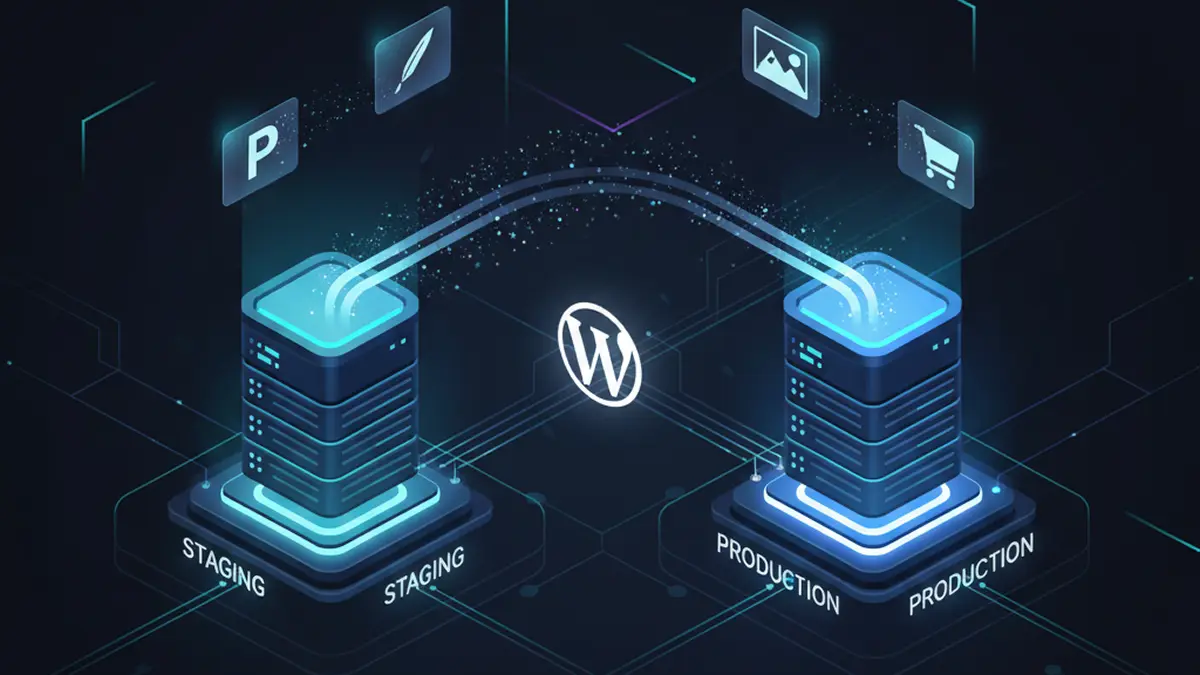
Staging environments are great for testing code changes. They’re also increasingly used by marketing teams, content editors, and site owners who want to review significant content changes before they appear on a live website.
That creates a surprisingly difficult WordPress problem: once a piece of content is approved in staging, how do you move just that content to production?
Traditionally, the options haven’t been great. You can manually recreate the changes on the production site, use WordPress’s export and import tools, or copy database tables between environments. The first two add extra work and opportunities for mistakes. The last can be risky, particularly on an active website where production has continued receiving form submissions, users, orders, content updates, or other data while staging was being used.
We wanted a better option.
WP Haven now includes Content Sync, allowing individual WordPress content to move between connected environments without replacing the rest of the site’s database.
Move the content you want — and leave everything else alone
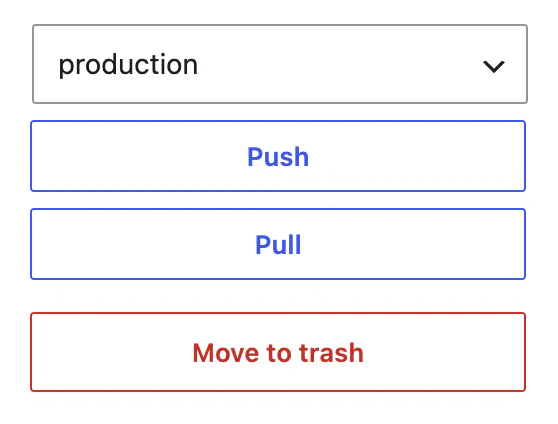
With Content Sync, an editor can make and review changes on staging, then push that individual piece of content to production when it’s ready.
It works in both directions, too. Content can be pushed from staging to production or pulled from production back into staging.
And it isn’t limited to standard WordPress pages and blog posts. Content Sync supports WordPress custom post types, which means the same workflow can be used for content such as WooCommerce products and custom content types created specifically for your website.
When content is transferred, WP Haven brings along the information that belongs with it, including:
- Page or post content, title, excerpt, slug, status, and other core WordPress fields
- Custom fields, including ACF data
- Categories, tags, and other taxonomy terms
- Featured images
- Images and media referenced by the content
- Supported metadata such as Yoast SEO fields
In other words, you’re moving the content as a complete piece rather than copying text from one browser tab to another and hoping nothing was missed.
Preview and review before making changes
Moving data into production should never require crossing your fingers and clicking a button.
Content Sync will compare the version you’re transferring with the version that already exists in the destination environment. Before overwriting changed content, WP Haven will confirm that you wish to replace content that has changed since the last sync.
That becomes particularly useful when several people are working on a site at once. Your marketing team can continue publishing on production while another change is being reviewed in staging without requiring the entire production database to be replaced afterward.
Sync directly from the WordPress content list
Content Sync is also available from the familiar Posts, Pages, Products, and custom post type screens in WordPress.
From there, you can select multiple pieces of content and transfer them together. WP Haven can also scan another environment for new content that hasn’t yet been synced, letting you review those items and choose which ones to bring over.
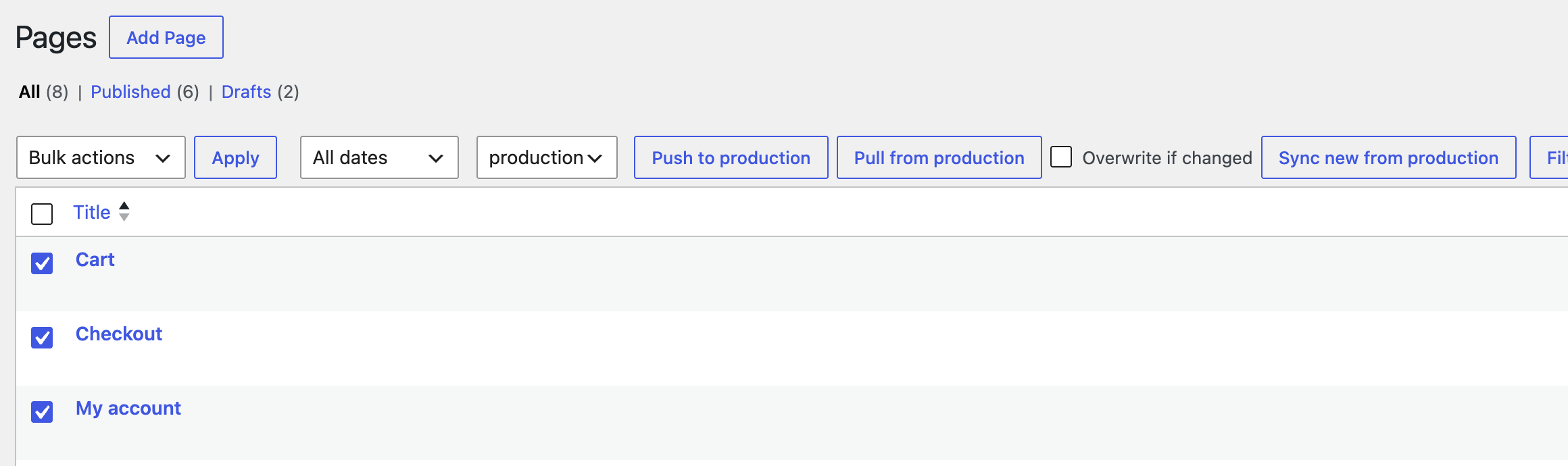
This makes the feature useful for larger content updates as well. A team preparing a new campaign, for example, might build and review several landing pages in staging and then move the approved pages to production together rather than repeating the process manually for each page.
A safer workflow for active and e-commerce websites
Selective content syncing becomes even more important when a website’s production database is constantly changing.
Consider a WooCommerce store. While someone is updating a product in staging, the live store may be receiving orders, creating customer accounts, updating inventory, and collecting other information.
Replacing the production database simply to deploy that product update isn’t an attractive option.
WP Haven’s Content Sync operates on the selected WordPress content instead. That means an approved product can be moved without performing a wholesale replacement of the production database.
The same principle applies to busy lead-generation and publishing sites. Production can continue doing its job while larger content changes are prepared and reviewed elsewhere.
How this compares with traditional managed WordPress staging
Most managed WordPress hosts provide some method of copying staging environments to and from production. The problem is usually the level at which those tools operate.
WP Engine, for example, supports copying complete environments or selected database tables. But posts, pages, products, and other WordPress content share database tables such as wp_posts and wp_postmeta. Selecting those tables isn’t the same thing as selecting one page.
In fact, WP Engine’s own documentation recommends using WordPress’s manual Export/Import tools when individual posts or pages created in staging need to be moved to production.
WP Haven approaches the problem at the WordPress content level instead of the database-table level.
Choose the page, post, product, or custom content you want to move, choose the destination environment, review the changes, and sync it.
That’s a small distinction technically, but a significant one operationally.
Staging can be for content workflows, too
Staging shouldn’t only be useful to developers.
For teams making substantial changes to important pages, staging provides a place where the result can be reviewed in the context of the complete website before anything changes for visitors.
Content Sync closes the gap between reviewing that work and publishing it.
A marketing team can rebuild a landing page in staging. A store manager can prepare significant product changes. An agency can let its client review a new section of a site. Once the work is approved, the finished content can move to production without rebuilding it there or replacing unrelated production data.
That means fewer repetitive steps, less opportunity for mistakes, and a much more useful staging workflow.
Available on WP Haven
Content Sync is part of the tooling we build around WP Haven to make managing WordPress sites simpler and safer.
Our goal isn’t just to provide somewhere for WordPress to run. WP Haven combines managed infrastructure with developer-level tools and support designed around the way real WordPress sites are maintained.
Content Sync is one more way we’re removing the technical busywork and risk that tends to accumulate around managing a growing website.